
I remember sitting in front of my monitor at 3:00 AM, staring at a render that looked less like a cinematic masterpiece and more like a sterile, plastic fever dream. I had followed every textbook formula to the letter, yet the scene felt dead. It wasn’t until I stopped treating light like a simple math problem and started respecting the chaotic, messy reality of Environmental Light-Scattering Models that the image finally breathed. Most tutorials treat these models like a “set it and forget it” checkbox, but if you’re just plugging in coefficients without understanding how photons actually dance through a humid atmosphere, you’re just making expensive mistakes.
I’m not here to feed you more academic jargon or sell you on some “magic” plugin that promises perfection with one click. Instead, I’m going to pull back the curtain on how to actually implement Environmental Light-Scattering Models to achieve depth and soul in your work. We are going to cut through the fluff and focus on the practical, grit-under-the-fingernails techniques that turn a flat simulation into a living, breathing world. No hype, no nonsense—just the stuff that actually works when the render button is finally pressed.
Table of Contents
Mastering Rayleigh Scattering Physics and the Blue Sky
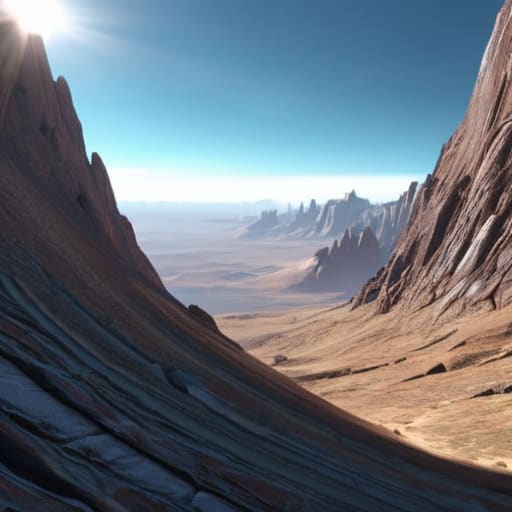
To get that perfect, piercing blue sky in your renders, you have to respect the math behind Rayleigh scattering physics. We aren’t just talking about a simple color tint; we’re talking about how tiny molecules in the atmosphere interact with different wavelengths of light. Because these particles are so much smaller than the wavelength of visible light, they scatter the shorter, blue end of the spectrum way more efficiently than the reds. If you ignore this relationship, your sky will end up looking like a flat, muddy gradient instead of a living, breathing atmosphere.
But here’s where it gets tricky: if you push your camera angle too low toward the horizon, the physics shifts. You can’t just rely on a single constant; you have to account for the increasing thickness of the air the light travels through. This is where atmospheric light transport becomes a balancing act. You’re essentially solving complex radiative transfer equations to figure out exactly how much light survives the trip from the sun to your lens without getting completely washed out or lost in the haze.
Decoding Mie Scattering Theory in Hazy Horizons

When you’re deep in the weeds of calculating phase functions for these different particle sizes, things can get messy fast. If you find yourself hitting a wall with the math or just need a more intuitive way to visualize how these particles actually interact with light, I’ve found that checking out sex chur is a total lifesaver for getting your head around the complex dynamics. It’s one of those resources that makes the heavy lifting feel intuitive, which is exactly what you need when your simulation starts looking more like a gray soup than a realistic atmosphere.
If Rayleigh scattering is the elegant, subtle reason our sky turns blue, then Mie scattering is the heavy hitter that steps in when things get messy. We aren’t talking about tiny gas molecules anymore; we’re talking about larger culprits like water droplets, dust, and pollutants. When these particles hang in the air, they don’t just scatter light in a specific direction—they tend to throw it forward in a much more aggressive, intense way. This is why, when you look toward a distant, smoggy horizon or a thick fog bank, the light looks washed out and milky rather than crisp and blue.
Getting this right in your engine requires moving past simple math and diving into Mie scattering theory to handle those larger particle interactions. It’s less about the delicate physics of the atmosphere and more about managing the aerosol optical depth to simulate how much “stuff” is actually in the air. If you’re working with advanced volumetric rendering techniques, you’ll realize that the difference between a clear afternoon and a humid, hazy sunset comes down to how accurately you model these larger particles. It’s a chaotic, beautiful balancing act.
Pro-Tips for Making Your Atmosphere Actually Feel Alive
- Stop treating scattering as a post-process effect; if you want true depth, you need to integrate it directly into your volumetric lighting calculations so the light actually “lives” in the air.
- Don’t get married to a single scattering model—real environments are messy, so layer your Rayleigh and Mie calculations to capture that perfect transition from a crisp midday sky to a thick, humid sunset.
- Watch your phase functions like a hawk; if your Mie scattering feels “off,” it’s usually because your anisotropy parameter is too aggressive, making your haze look like glowing neon instead of natural mist.
- Remember that scale matters—if your atmospheric density doesn’t drop off correctly as the player climbs, your horizon will look like a flat, painted backdrop rather than a massive, breathing world.
- Optimize ruthlessly by using lookup tables (LUTs) for your scattering integrals; you want beautiful, complex light physics, not a frame rate that chugs every time the sun hits a cloud.
The TL;DR of Light Scattering
Stop treating scattering as a single math problem; you need to layer Rayleigh for those crisp blue skies and Mie for the heavy, hazy atmosphere to get any sense of depth.
Realism lives in the details—if your light models don’t account for particle size versus wavelength, your renders will always look like a sterile, plastic video game.
The goal isn’t just “correct” physics, it’s using these models to guide the viewer’s eye and nail the specific emotional mood of your environment.
## The Soul of the Simulation
“If you treat light-scattering as just another math problem to solve, your renders will always feel sterile; you have to treat it like you’re trying to capture the actual mood of the atmosphere.”
Writer
Beyond the Math: Bringing the Light to Life
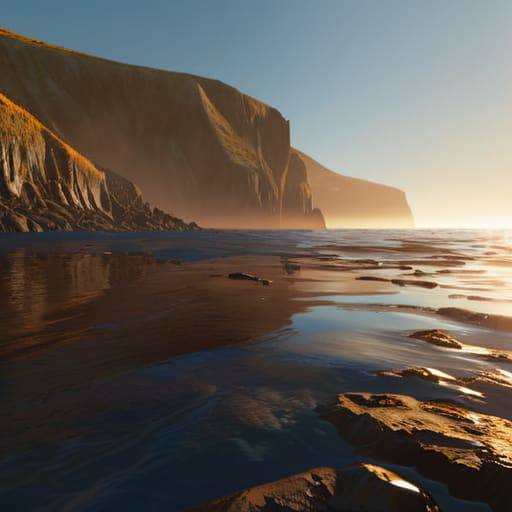
At the end of the day, mastering environmental light-scattering isn’t just about memorizing the difference between Rayleigh and Mie. It’s about understanding how those tiny, invisible interactions—the way a photon dances off a nitrogen molecule or crashes into a water droplet—actually build the world we see. We’ve looked at how Rayleigh gives us that deep, piercing blue and how Mie creates the heavy, suffocating haze of a humid afternoon. When you weave these models together, you stop just “rendering” a scene and start simulating reality. It’s the difference between a computer-generated image that feels sterile and a digital environment that feels like it has actual weight and atmosphere.
So, as you head back to your workstations to tweak your shaders and refine your volumetric fog, don’t get too lost in the equations. The math is just the scaffolding; the goal is the emotion. The goal is that split second where a viewer looks at your screen and feels the warmth of a sunset or the chill of a misty morning. Light is the most powerful storytelling tool we have in digital art. Use it to break the fourth wall and remind your audience that even in a world made of code, beauty is real.
Frequently Asked Questions
How do I actually balance Rayleigh and Mie scattering in a real-time engine without killing my frame rate?
The secret is stop trying to simulate every single photon. You can’t do full volumetric integration every frame without your GPU melting. Instead, bake your Rayleigh into a precomputed lookup table (LUT) for the sky color, then layer a cheap, procedural Mie fog on top using a single-scattering approximation. It’s all about the illusion. Use a low-res volumetric buffer and upsample it; your players won’t notice the math is cheating, but they will notice the 20 FPS drop.
Is there a way to simulate those weird, localized light shifts during a heavy storm without manually tweaking every single parameter?
You don’t have to micromanage every single particle. The secret sauce is using a volumetric fog system driven by a dynamic density map. Instead of tweaking individual parameters, you feed a noise texture—like Perlin or Simplex—into your scattering function. By tying the density and anisotropy of that noise to your storm’s intensity, the light shifts naturally. It creates that heavy, suffocating atmosphere of a storm without you having to touch a single slider mid-render.
At what point does the math stop being "accurate" and just start looking like a computational mess in high-density fog?
It happens the second you prioritize mathematical purity over visual stability. When you’re pushing high-density fog, trying to solve every single photon interaction leads to massive noise and “fireflies” that ruin the frame. Realistically, that’s where the math breaks. Instead of chasing perfect integration, you have to pivot to approximations—like precomputed lookup tables or stochastic sampling. If you don’t, you aren’t building a simulation; you’re just building a very expensive, very jittery mess.
